📌 Overview
The Khatavahi Tracking System is organized into multiple modules to manage:
- User tracking
- Attendance
- Orders
- Visits
- Reports
Each module plays a specific role in the field force automation workflow.
🧩 Main Modules
📁 Khatavahi Tracking
This section contains all operational DocTypes used in daily field activities.
⚙️ 1. Tracking Setup KBS
📌 Purpose
Central configuration module for tracking system.
🔧 Features
- Configure Distance Threshold (meters)
- Define system-level tracking rules
- Control validation logic
🎯 Usage
- Used for visit validation
- Controls GPS-based restrictions
🕒 2. User Checkin KBS
📌 Purpose
Manages user attendance logs.
🔧 Features
Check-in (IN) with:
- Face verification
- GPS location
Check-out (OUT)
- Stores:
- Time
- Location
🎯 Outcome
- Accurate working hours calculation
📍 3. User Log KBS
📌 Purpose
Tracks continuous user movement.
🔧 Features
- Stores GPS logs at intervals
- Captures:
- Latitude
- Longitude
- Timestamp
🎯 Outcome
- Enables:
- Movement tracking
- Distance calculation
- Route analysis
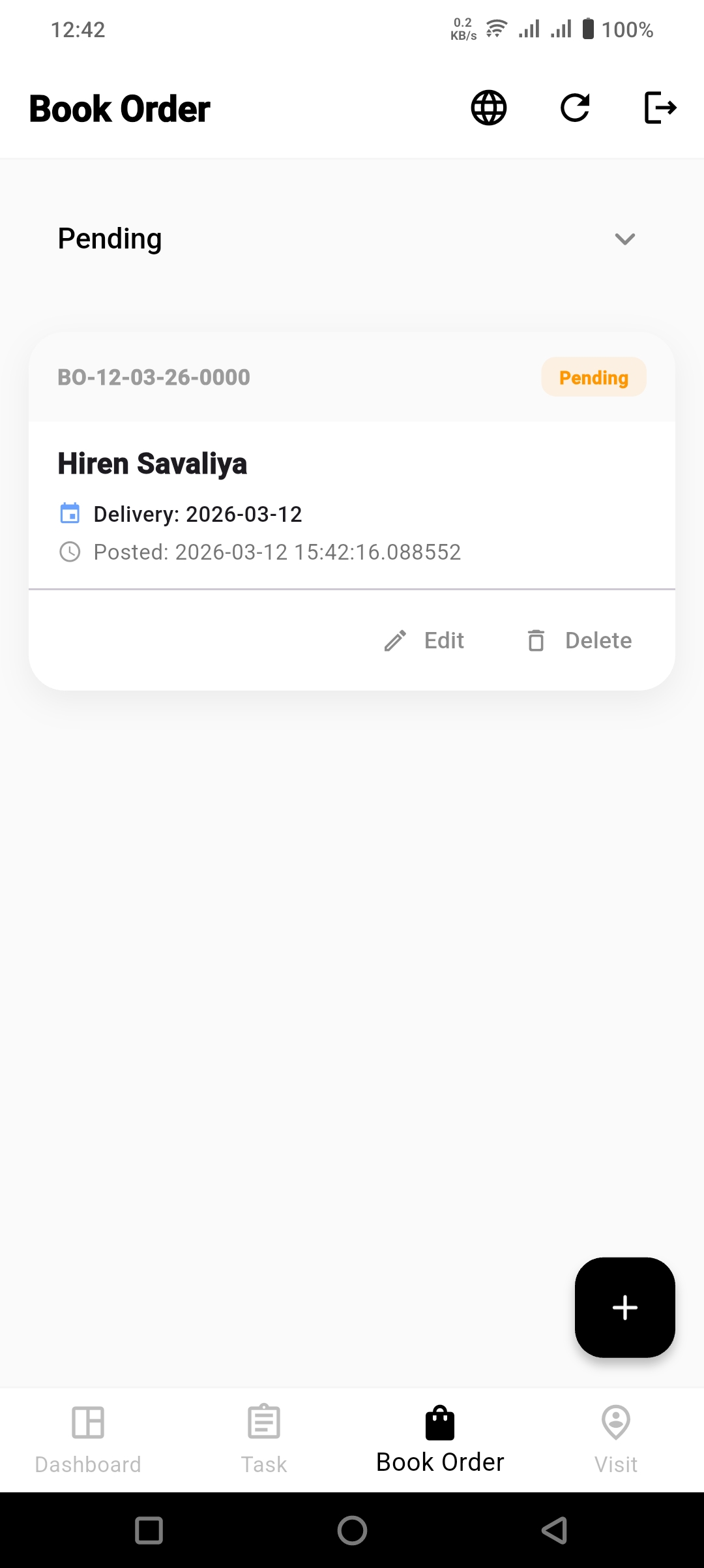
📦 4. Book Order
📌 Purpose
Capture orders directly from field.
🔧 Features
- Create order during client visit
- Add:
- Items
- Quantity
- Rate
🔄 Automation
- Automatically creates Sales Order in ERP
🔐 5. Face Data
📌 Purpose
Store biometric data for users.
🔧 Features
- Face image / encoding storage
- Used for:
- Login authentication
- Attendance validation
🎯 Benefit
- Prevents fake check-ins
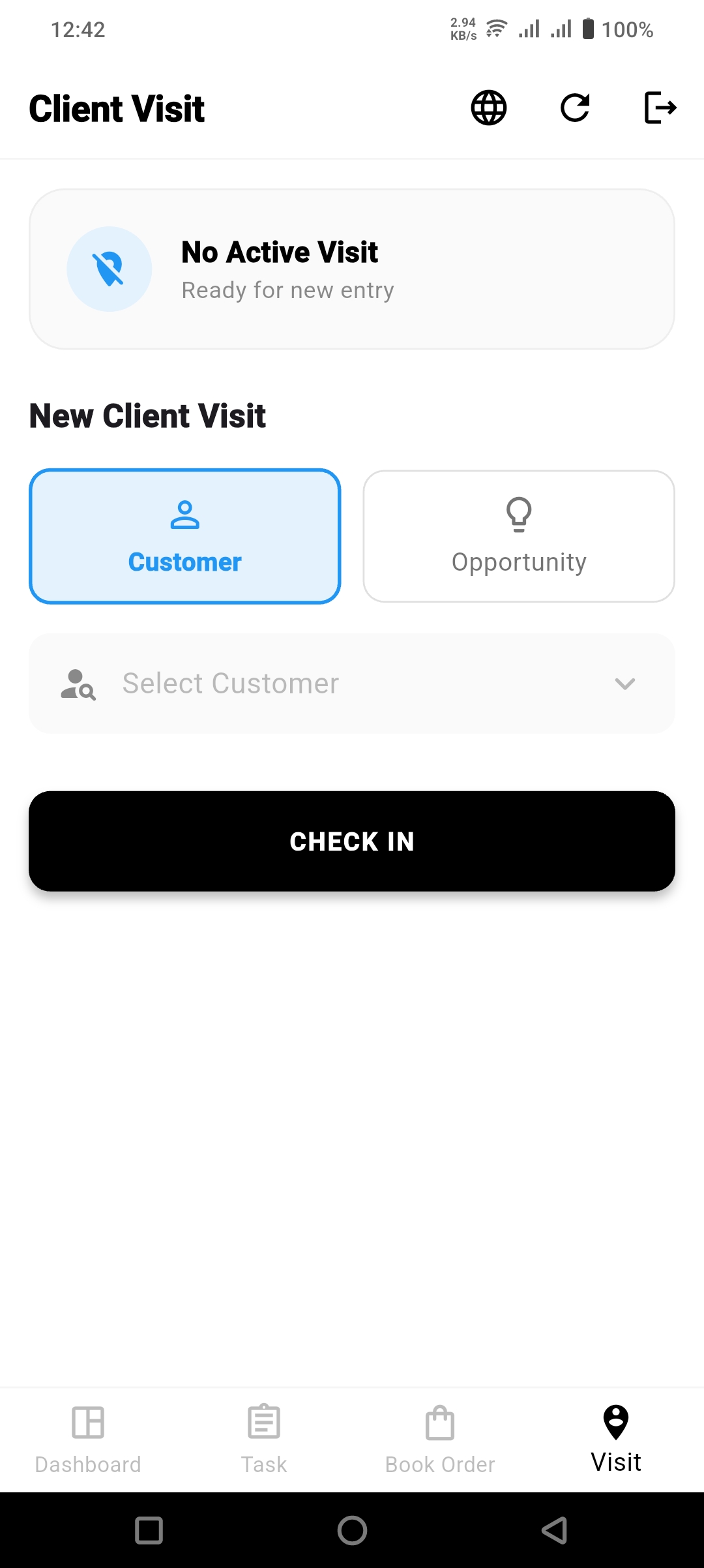
📅 6. Client Visit
📌 Purpose
Track actual customer visits.
🔧 Features
Mark visit status:
- Pending
- Completed
- Skipped
Capture visit details
📅 7. Client Visit Schedule
📌 Purpose
Plan and assign visits.
🔧 Features
Admin assigns:
- User
- Customer
- Date & time
Visible in mobile app
🎯 Outcome
- Structured field planning
📍 8. User Wise Location Tracking
📌 Purpose
Track full-day user movement.
🔧 Features
- Timeline-based location logs
- Map-based tracking (optional)
🎯 Insights
- Where user traveled
- Time spent at locations
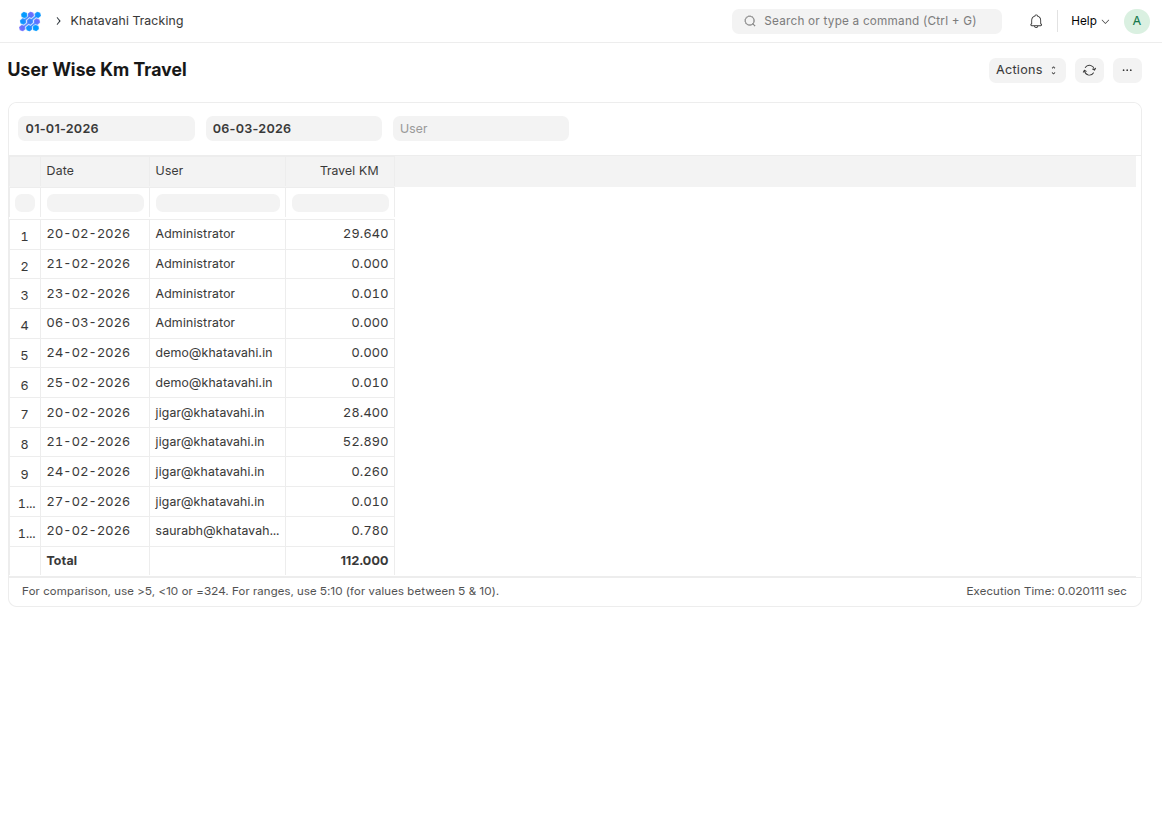
📏 9. User Wise KM Travel
📌 Purpose
Calculate total distance traveled.
🔧 Features
- Daily KM calculation
- Based on GPS logs
🎯 Insights
- Field activity measurement
- Productivity tracking
🔄 Complete System Flow
```text Tracking Setup ↓ Face Data (Registration) ↓ User Login (Biometric) ↓ User Check-in ↓ User Log (GPS Tracking) ↓ Client Visit Schedule ↓ Client Visit Execution ↓ Book Order Creation ↓ Sales Order Auto Creation ↓ Reports (KM + Location + Attendance)
🎯 Summary
This system ensures:
- 📊 Accurate tracking
- 📍 Location-based validation
- 📦 Real-time order processing
- 🔐 Secure authentication
- 📈 Improved field productivity
01. Installation & Biometric Setup
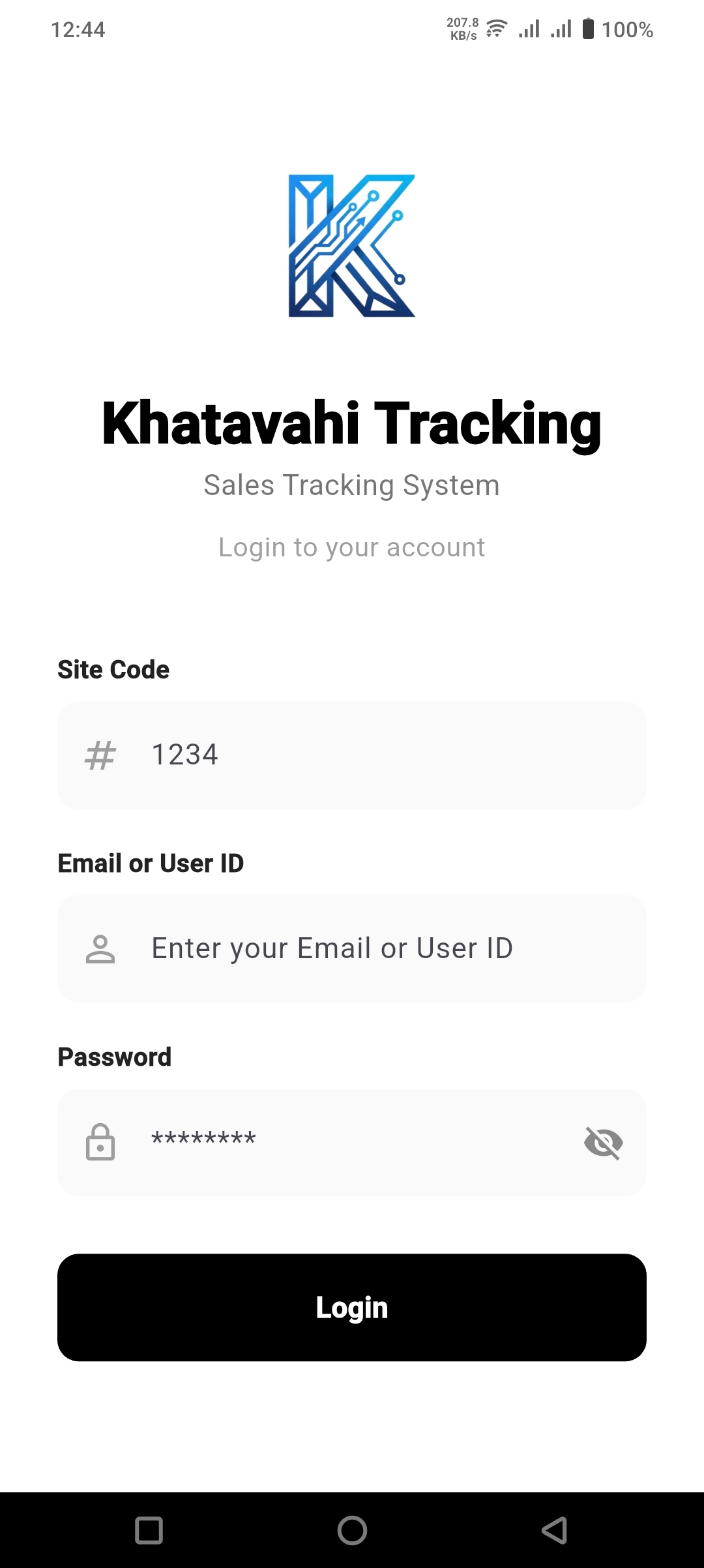
To get started, download and install the Khatavahi Tracking APK on your mobile device.
🔧 Initial Configuration
🔑 Login Credentials
Enter your assigned:
- Site Code
- User ID / Email
- Password
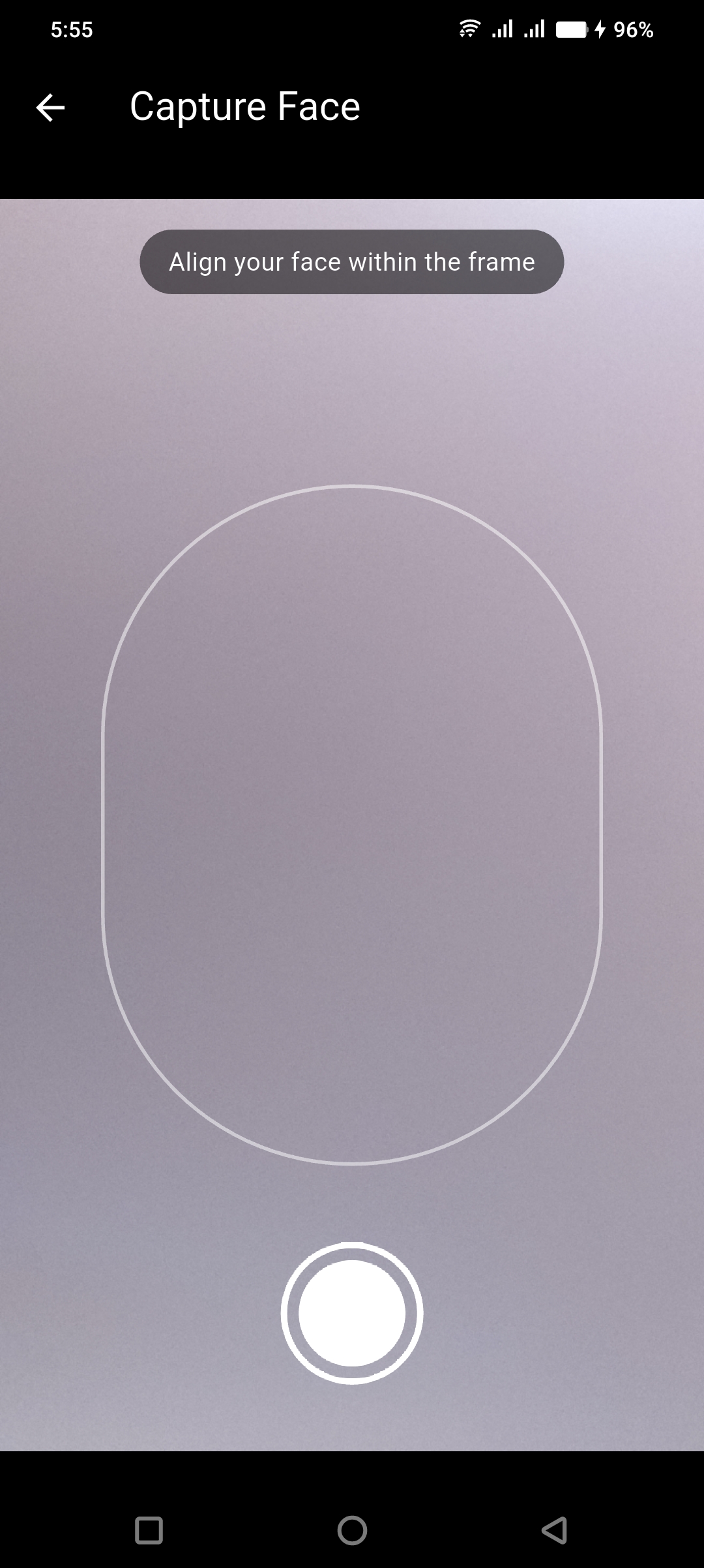
🧑💻 Biometric Verification
The application uses advanced Face Capture technology to ensure accountability.
Required during:
- First login
- Daily check-ins
👉 Align your face within the on-screen frame for verification.
02. Daily Operations & Workflow
🚀 Starting Your Day
Once logged in, your mobile dashboard acts as your command center.
▶️ "START DAY" Button
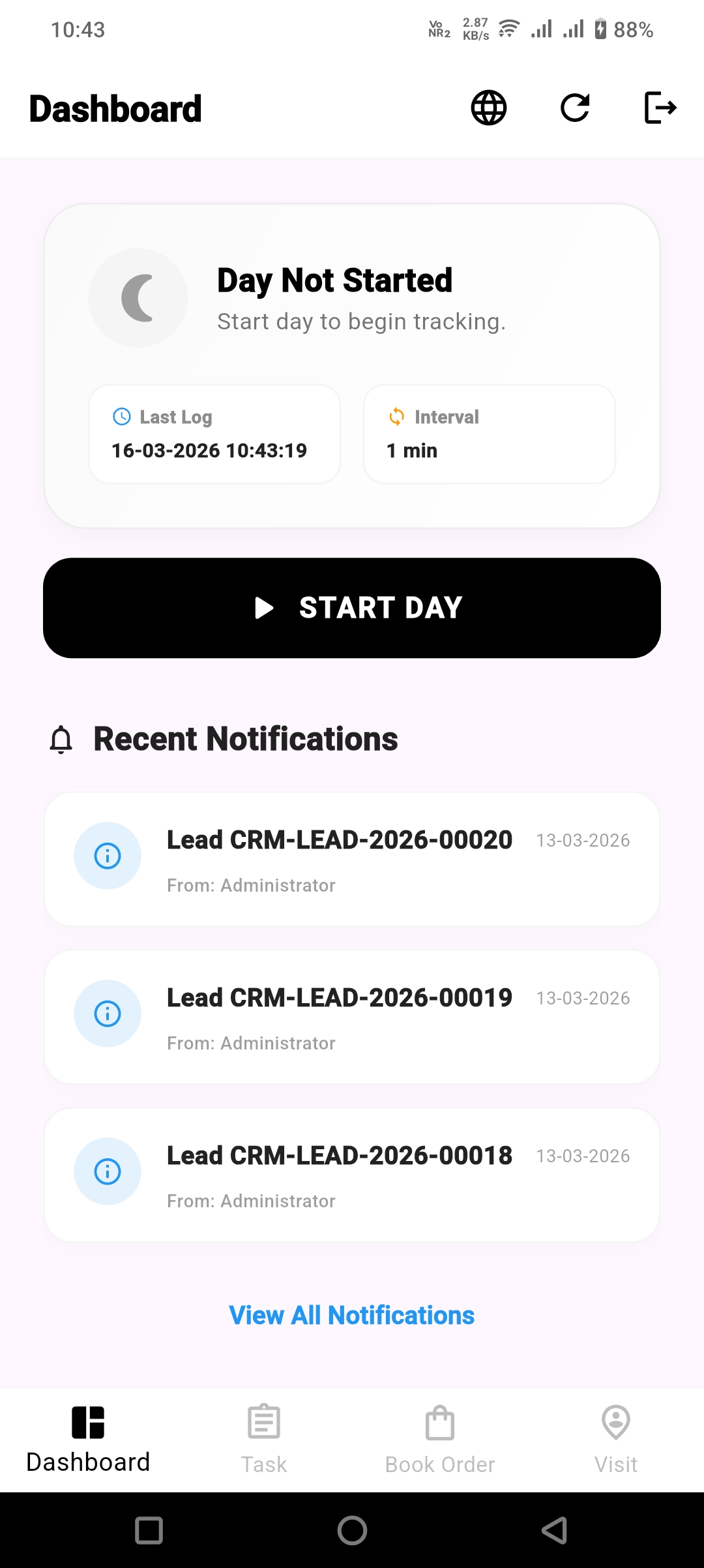
Tap to initiate:
- Tracking
- Task assignments
🔔 Dashboard Alerts
View real-time notifications for:
- CRM leads
- Administrative updates
🌙 Ending Your Day
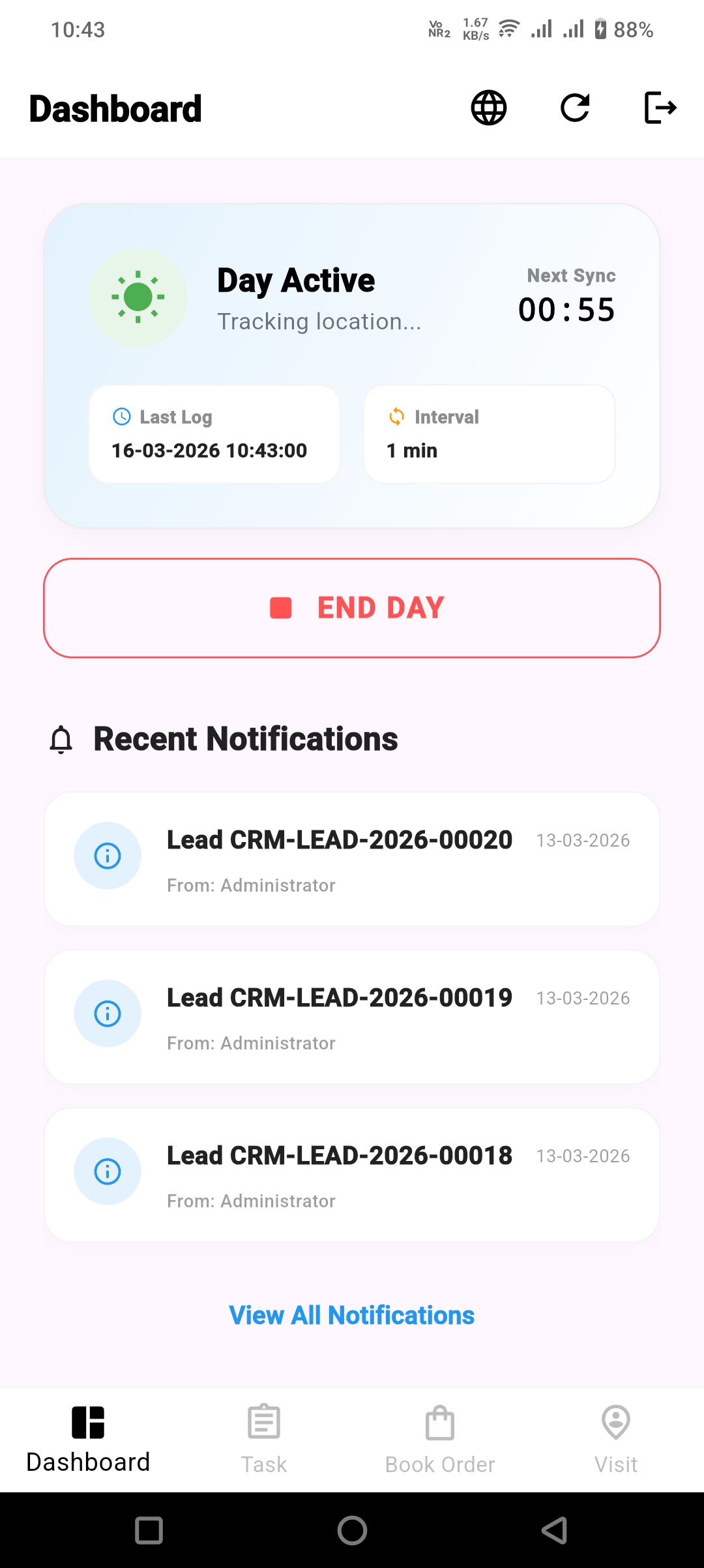
At the end of your workday, ensure all activities are properly recorded.
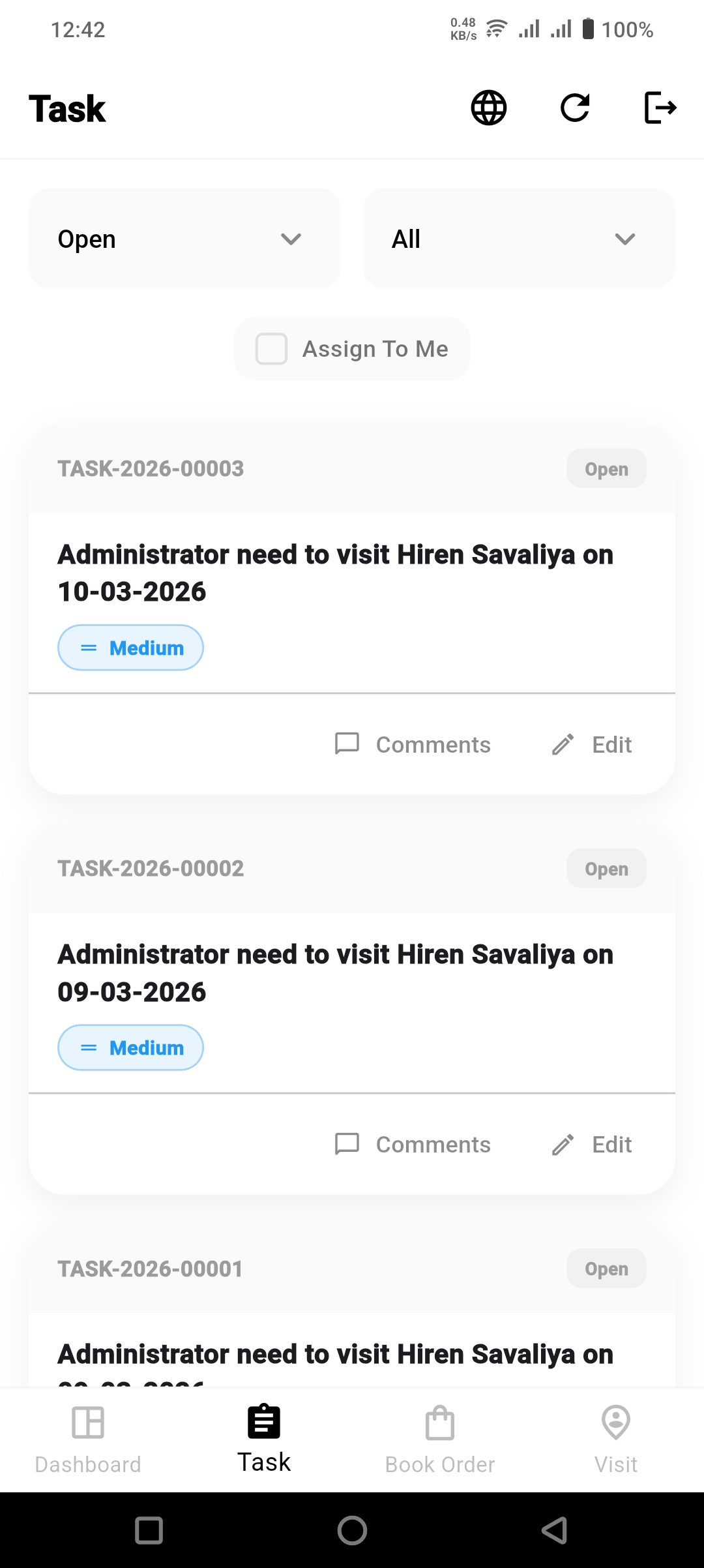
📋 Integrated Task Management
Manage your daily activities efficiently:
📅 Visit Scheduling
- View assigned client visits
- Example: "Visit Hiren Savaliya"
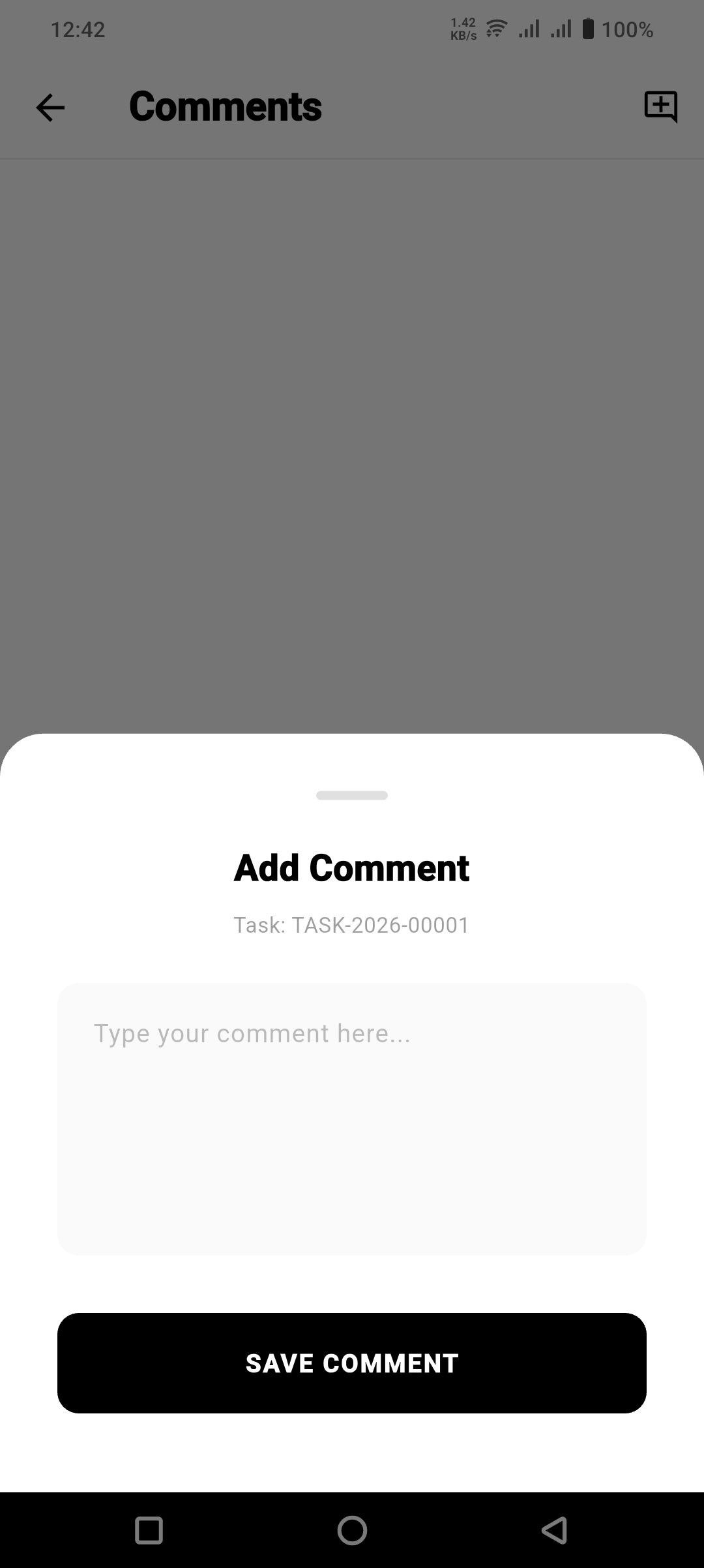
💬 Task Comments
Add and view comments for each task to maintain clear communication and updates.
You can:
- Add notes after each visit
- Mention important discussion points
- Record client feedback
- Update internal team remarks
👉 Keeping comments updated ensures better tracking and team coordination.
03. Advanced Monitoring Features
📍 Smart Background Tracking
Khatavahi Tracking uses Geo-Precision technology to:
- Track user movement in the background
- Record accurate travel paths
- Eliminate need for constant manual interaction
👉 This ensures seamless tracking without interrupting your daily workflow.
04. ERPNext Visualization & Administrative Control
The mobile app integrates seamlessly with ERPNext, enabling powerful backend control.
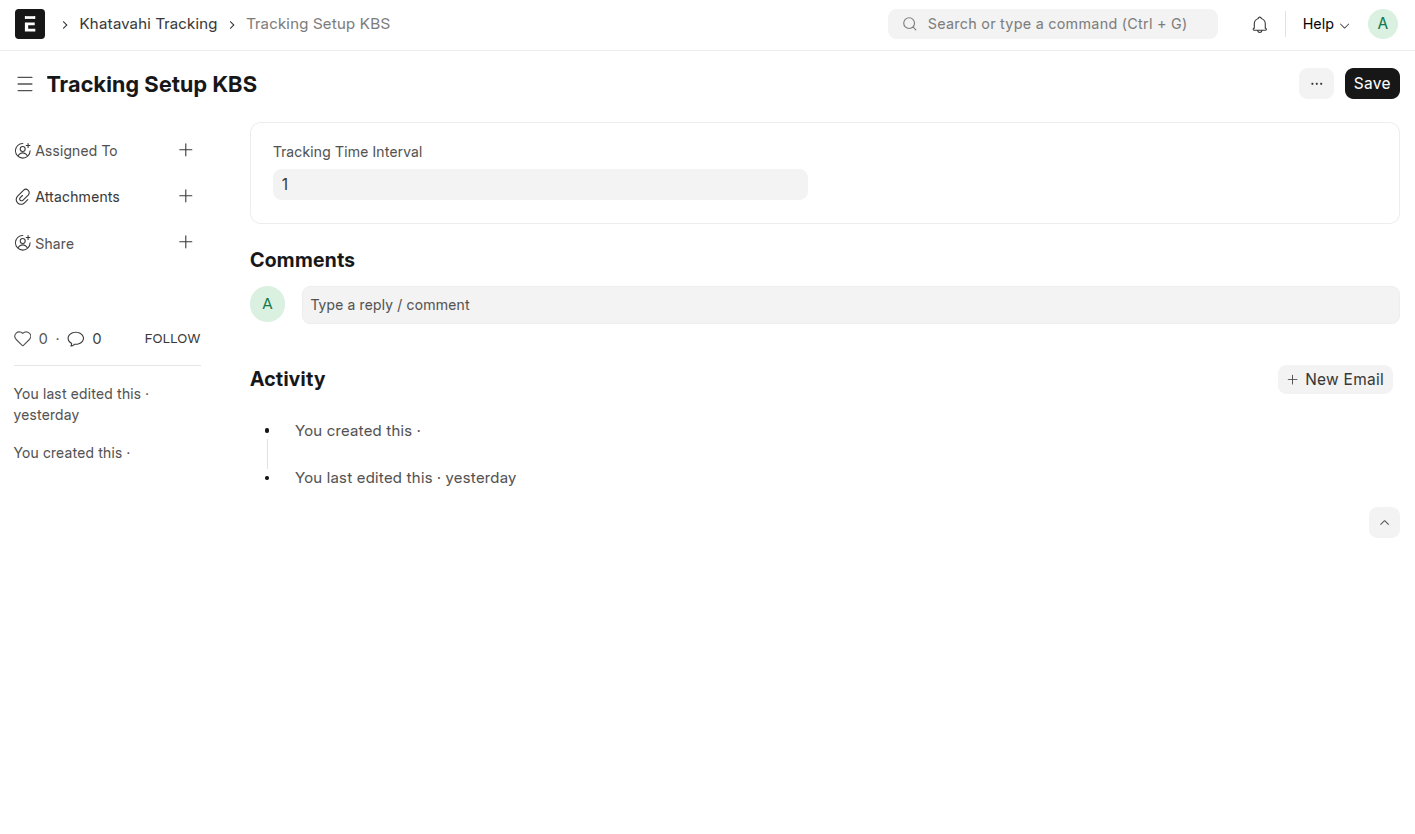
⚙️ Tracking Setup
Manage system-level tracking configurations including:
- Interval timing
- Background tracking rules
- User-level policies
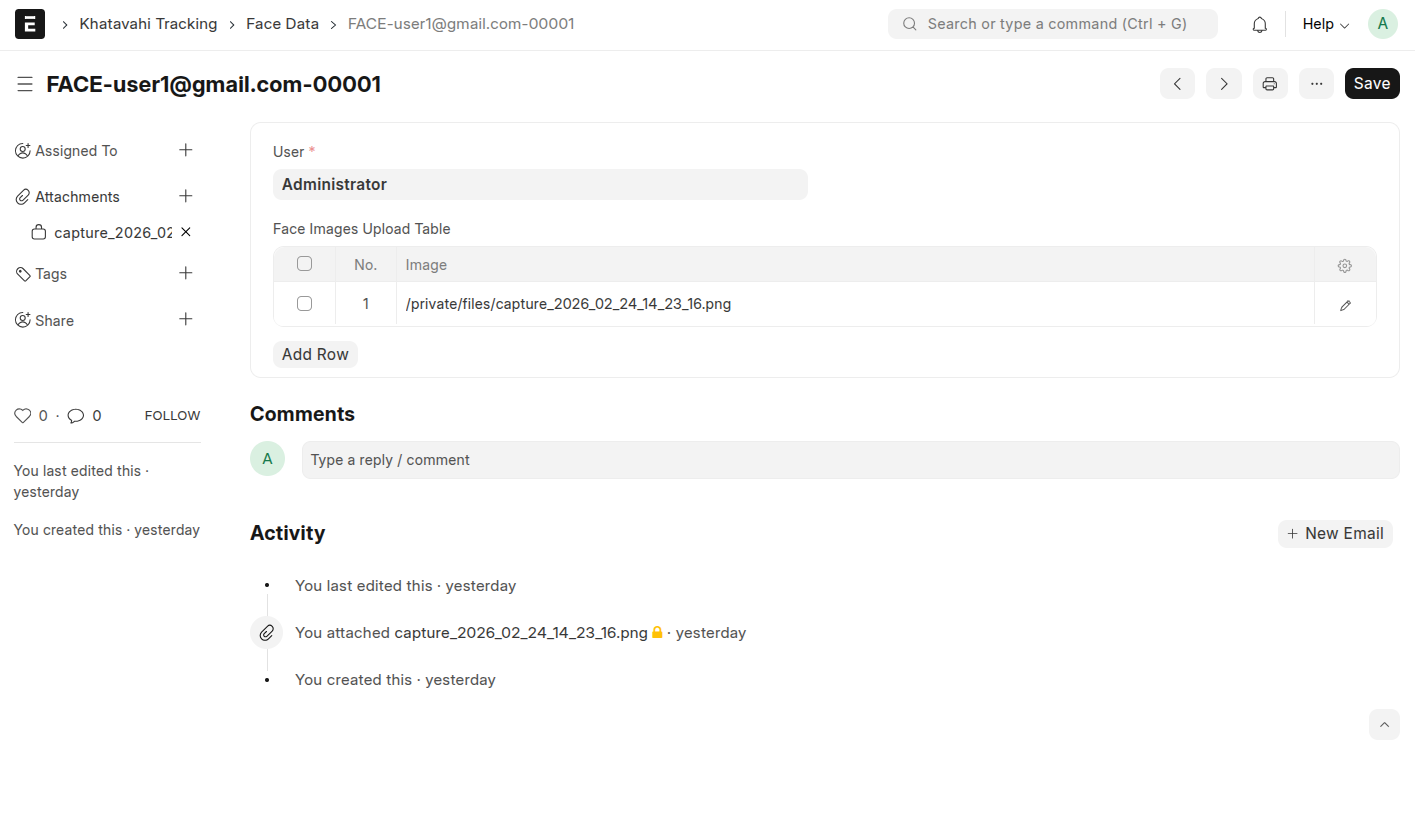
🧬 Face Data Reports
- Complete biometric authentication history
- Useful for audit and compliance
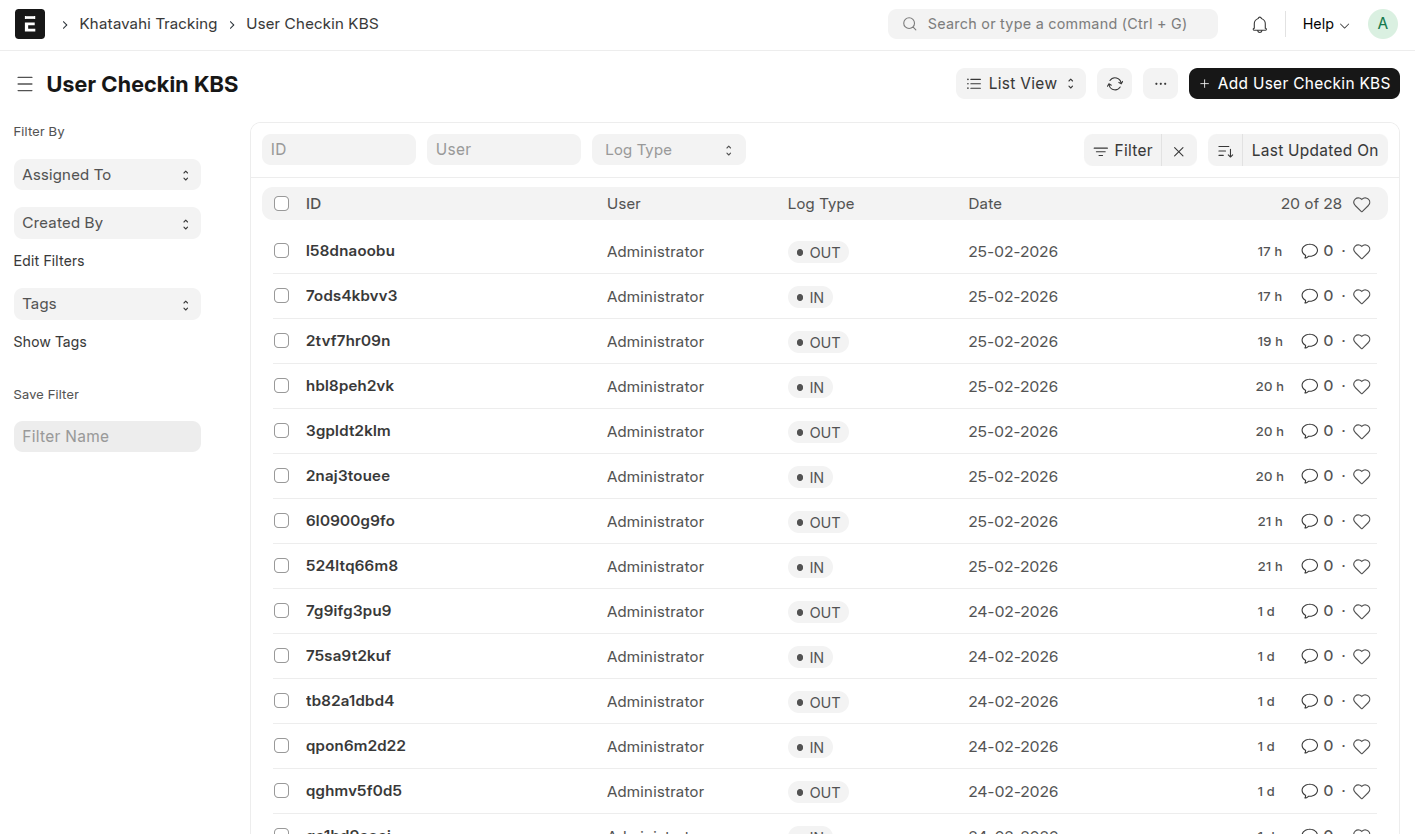
📝 User Checkin KBS List
View all user check-ins in a structured list format:
- User-wise entries
- Date & time logs
- Location summary
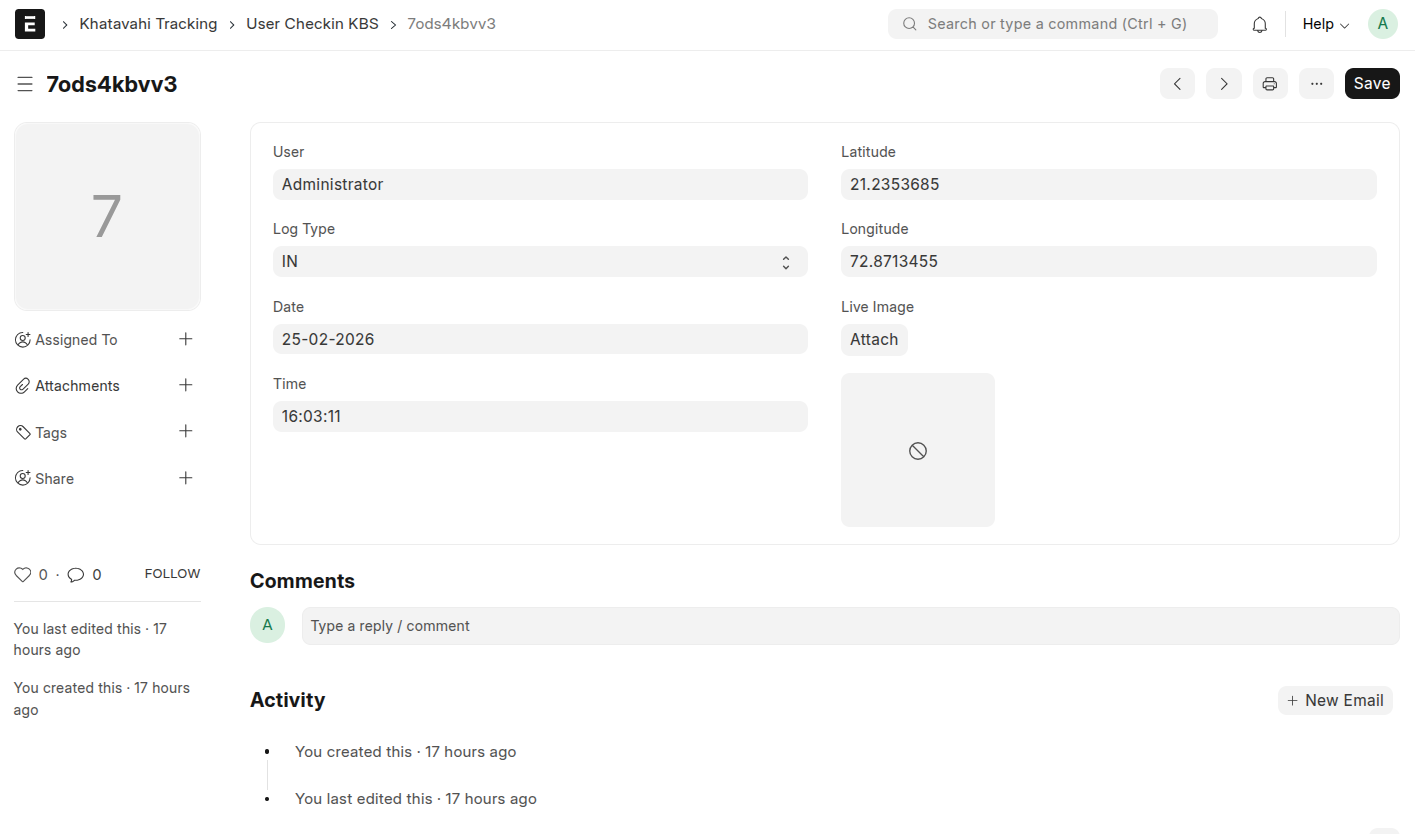
✏️ User Checkin KBS Edit
Edit and manage specific check-in records:
- Update incorrect entries
- Verify GPS data
- Maintain accurate logs
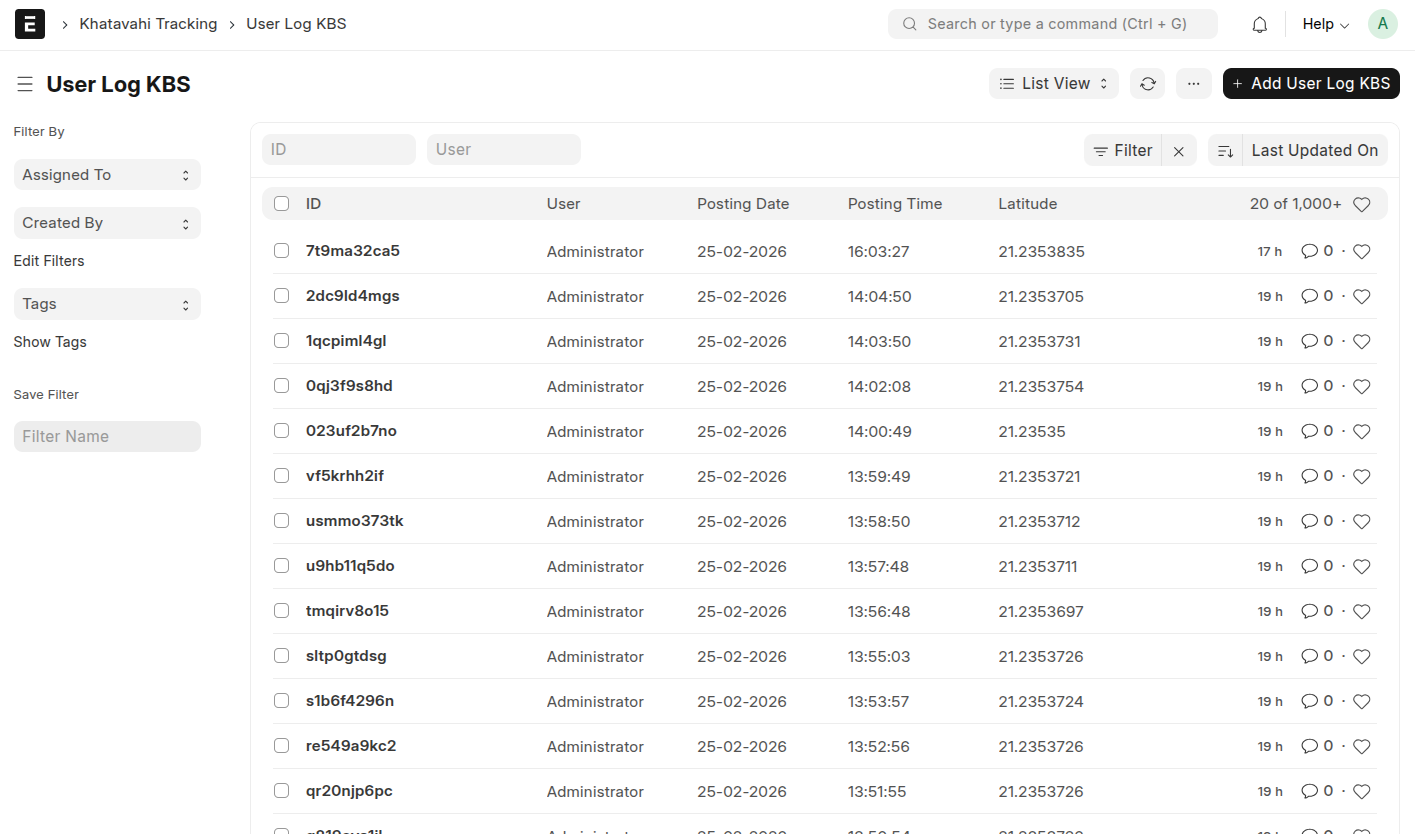
📄 User Log KBS
Access complete user activity logs:
- Login / Logout records
- App usage tracking
- System interactions
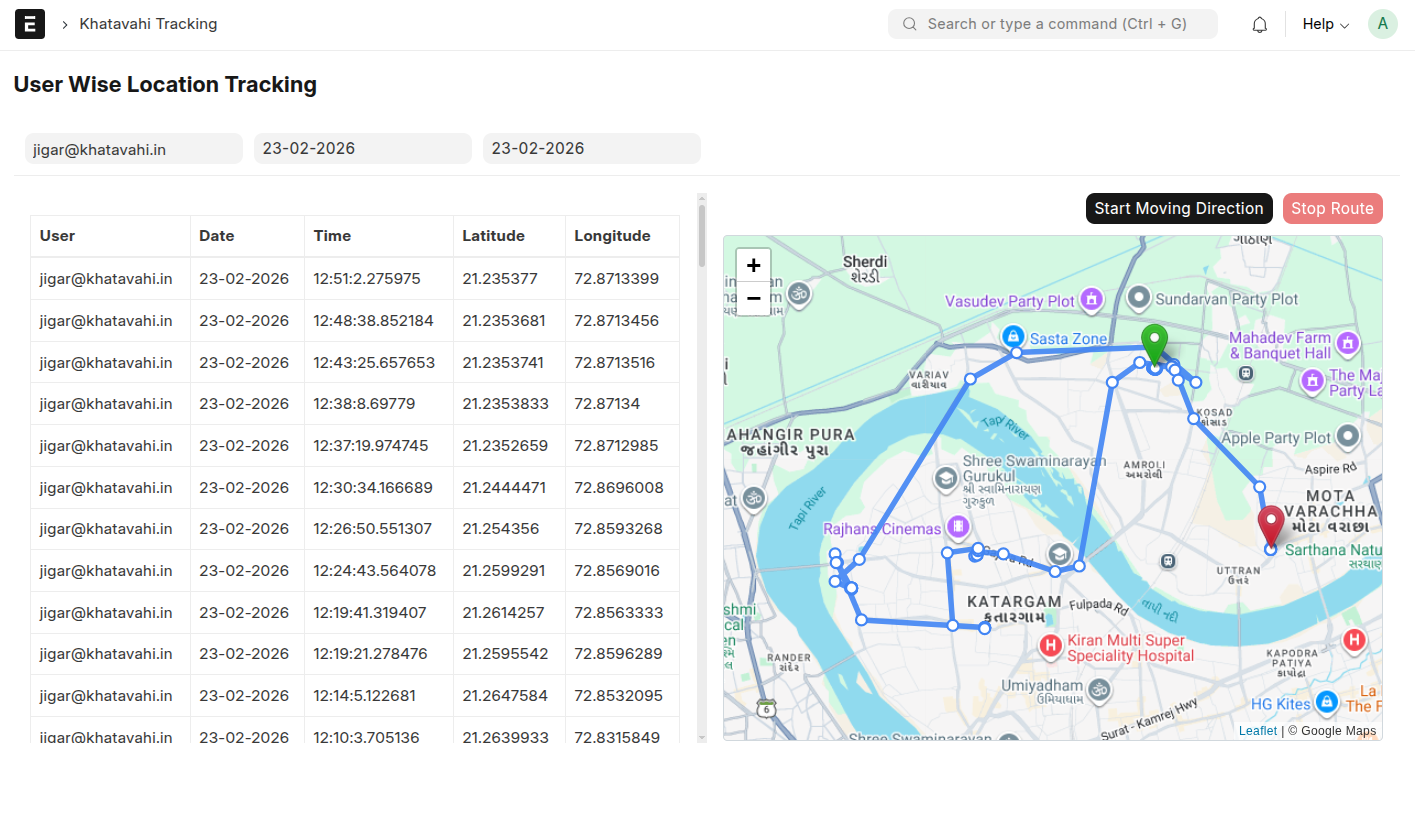
📍 User Wise Location Tracking
Track movement of individual users:
- Real-time location view
- Route history
- Travel patterns
🚗 User Wise KM Travel
Analyze travel distance covered by users:
- Daily / Monthly KM reports
- Route efficiency insights
- Performance tracking
👉 These tools provide complete visibility and control for administrators to monitor field operations effectively.
05. Client Engagement & Sales
🧾 On-Site Order Entry
Sales teams can:
- Capture customer orders directly in the app
- Eliminate paper-based processes
- Reduce delays in order fulfillment
👉 This ensures faster and more accurate order processing.
🗓️ Dynamic Visit Scheduling
- Plan visits in advance
- Optimize travel routes
- Ensure priority clients are covered
👉 Helps improve productivity and maximize field efficiency.
✅ Summary of Key Benefits
🔐 Accountability
- Biometric face capture prevents unauthorized check-ins
⚡ Efficiency
- On-site order entry & scheduling streamline operations
👁️ Transparency
- Real-time GPS tracking + ERPNext integration
👌 Ease of Use
- Simple and intuitive mobile interface for field teams

Jigar Tarpara
ERPNext & Frappe Consultant ERPNext & Frappe Developer CEO at Khatavahi BI Solutions LLP
No comments yet. Login to start a new discussion Start a new discussion